How to update outbound token?
Manual Phone Number Application
Log in to app.minktext.com.au.
Click "Sub-Accounts".
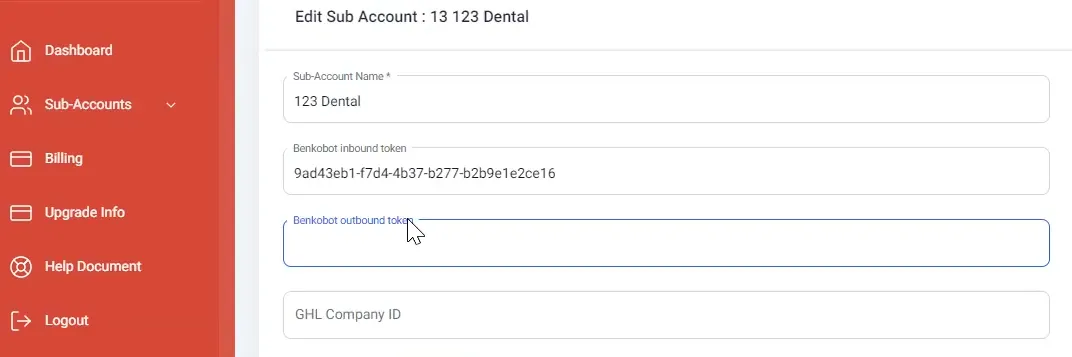
Then click "Edit" to open the settings for the Sub-Account you needed to update.

Now, paste the Outbound Token code to the corresponding field and to complete everything click "Update".